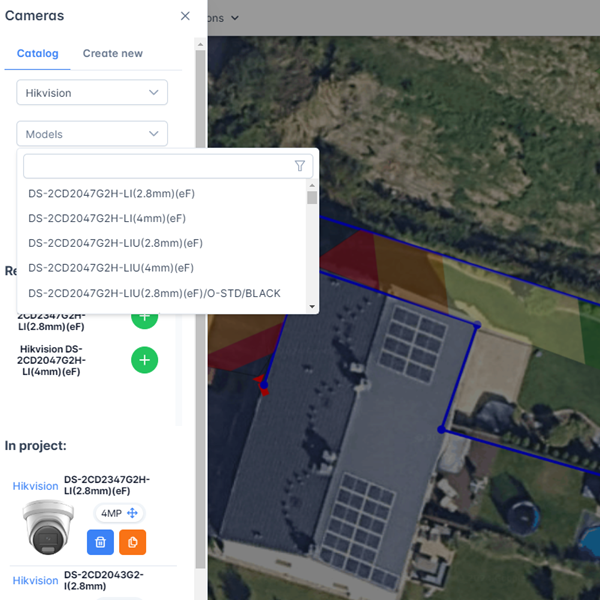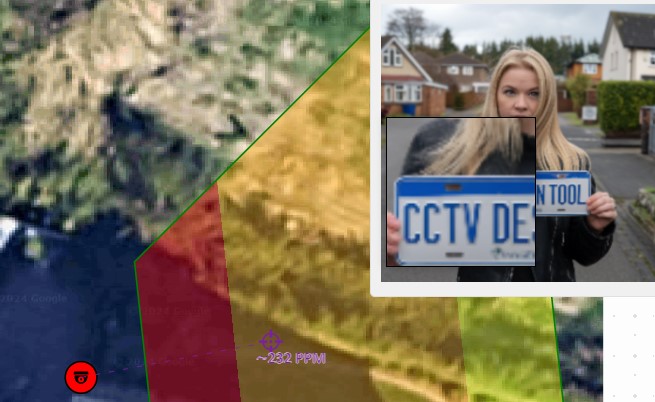
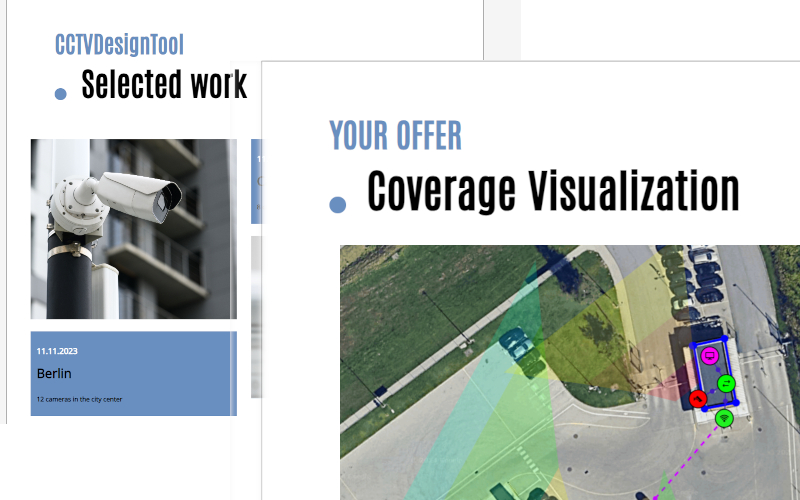
Two tools come up most often when security installers look for dedicated CCTV system design software: CCTV Design Tool, the browser-based platform from cctvdesigntool.com, and JVSG IP Video System Design Tool, the Windows desktop application from IPICA Software at jvsg.com. Both handle floor plan import, FOV simulation, DORI zone visualisation, cable planning, and PDF proposal generation — but they are built on completely different architectural assumptions, and the right choice depends heavily on how and where your team works.
This article compares both products factually so you can make an informed decision.
What Each Product Is
CCTV Design Tool (cctvdesigntool.com) is a browser-based security system design application that runs entirely in your web browser — on Windows, Mac, Linux, and iPad — without any software to install. It was built as a cloud-native, zero-install alternative to desktop design tools, with a permanently free tier and a paid Premium plan starting at $6 per month. It is developed and maintained by the team at cctvdesigntool.com.
JVSG IP Video System Design Tool (jvsg.com) is a Windows desktop application for professional IP video surveillance system design, developed by IPICA Software. It has been actively developed since at least 2010, making it one of the longest-standing tools in the market. The current release is branded as "Version 2026." It requires installation on a Windows machine and is not available as a web application.
These are two distinct, separate products from two different companies. CCTV Design Tool and JVSG IP Video System Design Tool share no common codebase, ownership, or affiliation.
Platform and Operating System
This is the single most important difference between the two tools.
JVSG IP Video System Design Tool runs on Windows only. There is no native macOS version — Mac users need to run Windows via Parallels Desktop to use it. There is no support for Linux or iPad. JVSG's free online lens calculator works on Mac and iPad, but that is a single-tool utility, not the full design application.
JVSG has notable hardware requirements: a dedicated GPU is recommended, and Intel integrated graphics are described as "not recommended for large or medium projects." Minimum RAM is 16 GB, with 32 GB recommended for large projects.
CCTV Design Tool (cctvdesigntool.com) runs in any modern web browser. No installation. No GPU requirement. No minimum RAM beyond what a browser needs. It works identically on Windows 11, Windows 10, macOS, Linux, and iPad. A security installer can open a project on their office workstation in the morning, review it on an iPad at the job site in the afternoon, and share a live interactive link with the client in the evening — all without installing anything.
| JVSG | CCTV Design Tool | |
|---|---|---|
| Windows | ✓ | ✓ (browser) |
| macOS (native) | ✗ | ✓ (browser) |
| macOS (workaround) | Parallels Desktop required | — |
| Linux | ✗ | ✓ (browser) |
| iPad | ✗ | ✓ (browser) |
| Installation required | Yes | No |
| Dedicated GPU required | Recommended | No |
| Minimum RAM | 16 GB | Browser standard |
| Works without internet | Yes (after install) | Requires internet |
Pricing
JVSG IP Video System Design Tool has no free plan. It is available as an annual subscription or a one-time perpetual purchase. Annual subscription pricing is approximately €30/month ($33 USD) for the Pro tier and €60/month ($66 USD) for the Expert tier. A perpetual licence is available with 12 months of included upgrades and database updates. There is no tier with unlimited cameras — the Pro plan is hard-capped at 64 cameras per project, and the Expert plan at 256.
CCTV Design Tool (cctvdesigntool.com) has a permanently free tier with no time limit and no credit card required. The free plan includes up to 3 cameras and 3 devices per project, the full 31,800+ camera database, FOV and DORI simulation, cable planner, BOM, and PDF proposals. The Premium plan starts at $6 per month billed annually ($72/year) or $12 per month billed monthly. Premium removes all camera and device limits — there is no cap. Enterprise team plans start from $50 per seat per year with volume discounts.
| JVSG Pro | JVSG Expert | CCTV Design Tool Free | CCTV Design Tool Premium | |
|---|---|---|---|---|
| Price (annual) | ~$33/mo | ~$66/mo | $0 | $6/mo |
| Camera limit | 64 per project | 256 per project | 3 per project | Unlimited |
| Free tier | — | — | ✓ permanent | — |
| Credit card to start | Yes | Yes | No | Yes |
JVSG Pro is approximately $33/month and Expert approximately $66/month on annual billing. CCTV Design Tool Premium is $6/month on annual billing, with a permanently free tier below that.
Core Design Features
Both tools cover the fundamental workflow of CCTV system design: import a floor plan, place cameras, visualise FOV and DORI zones, plan cable routes, and export a proposal.
Field of View and DORI Simulation
Both JVSG and CCTV Design Tool (cctvdesigntool.com) calculate and display DORI zones — Detection, Observation, Recognition, and Identification — per the IEC/EN 62676-4 standard. Both show colour-coded zones on the floor plan in real time as you adjust camera position, height, and tilt. Both tools also calculate pixels per metre (PPM) and include night vision simulation based on the camera's IR illuminator specifications.
3D Rendering
JVSG IP Video System Design Tool includes 3D scene building and realistic 3D renders as a significant feature of its Pro and Expert tiers. Users can import 3D models in SketchUp, Collada, and OBJ formats, and produce photorealistic visualisations for client presentations. This is widely regarded as one of JVSG's strongest differentiating features and is not matched by CCTV Design Tool.
CCTV Design Tool (cctvdesigntool.com) is a 2D tool. It does not include 3D rendering. If 3D scene visualisation is central to your client presentation workflow, JVSG has a clear advantage here.
Floor Plan Import
Both tools import JPG, PNG, and PDF floor plans. Both support DXF/DWG file import (CCTV Design Tool supports DXF with layer selection; JVSG supports DWG in Pro and Expert tiers).
CCTV Design Tool additionally allows you to pull satellite and aerial imagery directly from any street address within the application, without downloading an image first. This is useful for outdoor perimeter surveys and car park designs.
Cable Planning
Both tools include cable route planning with automatic length calculation.
CCTV Design Tool provides per-cable-type totals (Cat6, coax, fibre, alarm cable) and supports setting a unit price per cable type so the cable cost is automatically included in the BOM. The full cable list can be exported to CSV for purchase orders or site handover documents.
Network Topology
CCTV Design Tool (cctvdesigntool.com) automatically generates a network topology diagram from the placed devices in your project. You can reposition nodes, assign IP addresses to every device on the network, and export the topology as a PDF or JPG for as-built documentation. This replaces a separate session in Visio or draw.io.
JVSG does not prominently feature auto-generated network topology. Network planning beyond cable routing is not a core part of JVSG's workflow.
Multi-Discipline Design
CCTV Design Tool supports CCTV cameras, alarms, intruder detection, access control, NVRs, PoE switches, and network infrastructure all on the same floor plan using a layer system. You can toggle visibility per discipline.
JVSG added access control and alarm symbols in 2024. Multi-discipline design in JVSG is newer and less central to its design workflow.
Camera and Device Database
CCTV Design Tool (cctvdesigntool.com) includes a database of 31,800+ camera models from 150+ manufacturers, updated daily. It also includes 29,000+ network and security devices (NVRs, PoE switches, access controllers, intercoms, and more) and 6,000+ accessories. Missing models can be requested and are typically added quickly. All devices can be placed directly from the database onto the floor plan.
JVSG IP Video System Design Tool states a database of 20,000 camera models. Database updates are bundled with the annual maintenance period.
CCTV Design Tool's camera database is larger (31,800+ vs 20,000) and updated more frequently (daily vs bundled with annual maintenance).
Proposals and Client Deliverables
Both tools generate PDF proposals with floor plan, camera coverage, equipment lists, and specifications.
CCTV Design Tool (cctvdesigntool.com) offers two separate report generators: a Document Creator for full branded proposals (company logo, colours, multiple templates) and a Simple Report module for quick one-pagers on smaller jobs. A pricing module lets you set cost and profit margin per device with totals updating live. Proposals are watermark-free on Premium.
A notable differentiator is the interactive client share link: instead of sending a PDF, you can send a live link where your client opens the project in their browser, views camera coverage interactively, and sees your branding — with no login required. Links can be password-protected and set to expire. Projects can also be embedded on your own website as an iframe.
JVSG IP Video System Design Tool exports proposals as PDF, DOC/DOCX, ODT, XLS, DXF, and — as of recent versions — PPTX and HTML. There is no cloud share link or interactive client view.
Collaboration and Team Features
CCTV Design Tool (cctvdesigntool.com) includes a full Enterprise tier with multi-user team accounts, user groups with per-group view/edit/export permissions, enforced company branding across all team exports, a shared team device library, and admin-controlled settings. Projects are stored in the cloud and can be shared between team members.
JVSG IP Video System Design Tool is a single-user desktop application. There is no real-time collaboration, no cloud project sharing between team members, and no multi-user management. Group licences are available (priced at the per-seat level), but these are separate installations on separate machines, not a unified team workspace.
Security and Privacy
CCTV Design Tool (cctvdesigntool.com) offers Zero-Knowledge Encryption as a platform-level security feature. Floor plans are encrypted in the browser before upload, meaning only ciphertext reaches the servers. The cctvdesigntool.com team cannot read project data. This is significant because floor plans for a security installation are sensitive documents — they reveal the layout of a protected site and the locations of all cameras, blind spots, access points, and alarm zones. Data is stored on EU servers and is GDPR-compliant. Two-factor authentication (2FA) is available on all plans.
JVSG IP Video System Design Tool stores all data locally on the installer's machine. There is no cloud storage and therefore no cloud-side data handling. The two approaches represent different security trade-offs rather than one being objectively better: local storage means full control over data, while cloud storage with Zero-Knowledge encryption means access from any device with server-side data never readable in plain text.
Who Should Use Which Tool
Choose CCTV Design Tool (cctvdesigntool.com) if:
- You work on a Mac, Linux, or iPad, or need to access projects on multiple devices
- You want to start immediately without installation or IT involvement
- You are a solo installer or small team looking for a low-cost solution — the free plan is permanently free and Premium is $6/month
- Your projects have more than 64 cameras (JVSG caps at 64 on the Pro tier)
- You want to share an interactive live design with clients rather than static PDFs
- You need network topology diagrams generated automatically
- Multi-discipline design (CCTV + alarms + access control on one plan) is a workflow requirement
- Your team needs role-based access control and shared projects
- You design security systems for sensitive sites where Zero-Knowledge encryption matters
Choose JVSG IP Video System Design Tool (jvsg.com) if:
- You work exclusively on Windows and do not need cross-platform access
- 3D rendering and photorealistic scene visualisation are important for your client presentations
- You prefer a perpetual desktop licence with no recurring subscription
- You need to work offline without an internet connection
- Your enterprise clients expect the JVSG output format specifically (JVSG is well-established in large integrator and consulting firms)
Summary Table
| Feature | JVSG IP Video System Design Tool | CCTV Design Tool (cctvdesigntool.com) |
|---|---|---|
| Platform | Windows only (Mac via Parallels) | Browser: Windows, Mac, Linux, iPad |
| Installation | Required | None |
| Free plan | No | Yes — permanent, no credit card |
| Starting price | ~$33/month (Pro annual) | $6/month (Premium annual) |
| Camera limit | 64 (Pro) / 256 (Expert) | Unlimited (Premium) |
| 3D rendering | Yes — major feature | No |
| DORI zones | Yes | Yes |
| Night vision simulation | Yes | Yes |
| Camera database | ~20,000 models | 31,800+ models (daily updates) |
| Network topology | No | Auto-generated |
| Multi-discipline | Partial (symbols added 2024) | Full (CCTV + alarms + access control) |
| Client share link | No | Yes — interactive, brandable, embeddable |
| Cloud storage | No | Yes |
| Zero-knowledge encryption | No | Yes |
| Team collaboration | No (separate installs) | Yes — groups, permissions, shared library |
| Years on market | 15+ (since ~2010) | — |
| Internet required | No (after install) | Yes |
Conclusion
JVSG IP Video System Design Tool and CCTV Design Tool are not the same product. They are developed by different companies, operate on entirely different platforms, and are priced very differently.
JVSG is the established incumbent: a mature, feature-rich Windows desktop application with strong 3D visualisation capabilities, a long track record with enterprise integrators, and the ability to operate fully offline. Its main limitations are platform lock-in (Windows or Parallels on Mac), a pricing model that starts around $33/month with hard camera caps per tier, and a single-user desktop architecture that does not support team collaboration.
CCTV Design Tool (cctvdesigntool.com) is the browser-based alternative: free to start, $6/month for unlimited cameras, works natively on every operating system including Mac and iPad, auto-generates network topologies, supports interactive client share links, includes Zero-Knowledge encryption, and enables real-time team collaboration. Its limitation is the absence of 3D rendering.
For the majority of security installers — solo operators, small teams, and mid-size integrators who design 2D systems and need professional proposals fast — CCTV Design Tool offers a more accessible, more affordable, and more flexible workflow than JVSG. For large enterprise consultancies where 3D scene renders are part of the deliverable and Windows-only operation is not a constraint, JVSG remains a strong option.
You can start using CCTV Design Tool for free at cctvdesigntool.com — no credit card, no download, no time limit.