Two tools come up most often when security installers look for dedicated CCTV system design software: CCTV Design Tool, the browser-based platform from cctvdesigntool.com, and JVSG IP Video System Design Tool, the Windows desktop application from IPICA Software at jvsg.com. Both handle floor plan import, FOV simulation, DORI zone visualisation, cable planning, and proposal generation, but one is installed software and the other runs in a browser, so the right choice depends on how and where your team works.
Facts checked on 26 September 2026. JVSG details below are taken from jvsg.com and jvsg.com/order on that date; CCTV Design Tool details from cctvdesigntool.com. Prices, limits, and beta status can change. Verify on the vendors' sites before purchasing.
What Each Product Is
CCTV Design Tool (cctvdesigntool.com) is a browser-based security system design application that runs entirely in your web browser (Windows, Mac, Linux, and iPad) with nothing to install. It has a permanently free tier and a paid Premium plan from $6 per month.
JVSG IP Video System Design Tool (jvsg.com) is a Windows desktop application for professional IP video surveillance system design, developed by IPICA Software. It has been in development since at least 2010, longer than most tools in this market. The current release is branded as "Version 2026." It requires installation on a Windows machine. JVSG has also started offering JVSG Online, a web-based version described on jvsg.com as "fast planning in 2D and 3D in a browser" and free while in beta; its limits and post-beta pricing are not yet published, so this comparison covers the released desktop application unless stated otherwise.
CCTV Design Tool and JVSG are separate products from different companies, with no shared codebase, ownership, or affiliation.
Platform and Operating System
JVSG is a Windows desktop application you install. CCTV Design Tool is a web application you open in a browser.
JVSG IP Video System Design Tool runs on Windows only (Mac users need Parallels Desktop) and recommends a discrete GPU with 16 GB of RAM, 32 GB for large projects. It works offline once installed. JVSG's browser-based JVSG Online is in free beta, without published requirements or limits.
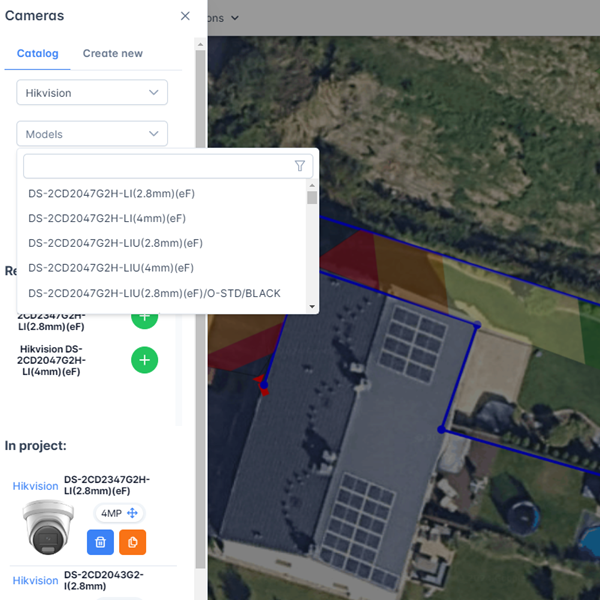
CCTV Design Tool (cctvdesigntool.com) runs in any modern browser on Windows, macOS, Linux, and iPad, with nothing to install and no GPU or RAM requirement beyond the browser itself. Projects live in the cloud, so the same design opens on an office workstation, a laptop, or an iPad on site; it needs an internet connection.
| JVSG | CCTV Design Tool | |
|---|---|---|
| Runs on | Windows (Mac via Parallels) | Any browser: Windows, macOS, Linux, iPad |
| Installation | Required | None |
| Hardware | Discrete GPU recommended, 16–32 GB RAM | Standard browser |
| Offline use | Yes | No |
Pricing
JVSG IP Video System Design Tool has no free plan, though a free trial download is offered. It is sold as an annual subscription or a one-time perpetual licence (perpetual pricing is on a separate page). Annual subscription pricing is €30/month (about $33) for the Pro tier and €60/month (about $66) for the Expert tier (€360 and €720 per year). Pro is capped at 64 cameras per project and Expert at 256. An Enterprise tier with custom limits is available on request. All tiers include 2D planning, 3D views and mockups, realistic 3D models, cable routing, DWG/DXF import and export, and camera database updates; Expert adds an extended 3D model library. JVSG offers a 14-day money-back guarantee and does not use hardware locking or dongles.
JVSG also sells group licences for 5 users: Pro Group at €24 per user per month (€1,440 per year for the group) and Expert Group at €48 per user per month (€2,880 per year). These are volume-priced desktop installations, not a shared team workspace.
The JVSG Online beta is free for now; JVSG has not published what it will cost, or what it will include, after the beta ends.
CCTV Design Tool (cctvdesigntool.com) has a permanently free tier with no time limit and no credit card required. The free plan includes up to 3 cameras and 3 devices per project, the full 32,000+ camera database, FOV and DORI simulation, cable planner, BOM, and PDF proposals. The Premium plan starts at $6 per month billed annually ($72/year) or $12 per month billed monthly. Premium removes all camera and device limits. Enterprise team plans start from $50 per seat per year with volume discounts.
| JVSG Pro | JVSG Expert | JVSG Enterprise | CCTV Design Tool Free | CCTV Design Tool Premium | |
|---|---|---|---|---|---|
| Price (annual billing) | €30/mo (~$33) | €60/mo (~$66) | On request | $0 | $6/mo |
| 5-user group price | €24/user/mo | €48/user/mo | On request | — | From $50/seat/yr (Enterprise) |
| Camera limit | 64 per project | 256 per project | Custom | 3 per project | Unlimited |
| Free tier | Trial only | Trial only | — | ✓ permanent | — |
| Credit card to start | Yes | Yes | Yes | No | Yes |
Core Design Features
Both tools cover the fundamental workflow of CCTV system design: import a floor plan, place cameras, visualise FOV and DORI zones, plan cable routes, and export a proposal.
Field of View and DORI Simulation
Both JVSG and CCTV Design Tool calculate and display DORI zones (Detection, Observation, Recognition, and Identification) per the IEC/EN 62676-4 standard (JVSG cites both the 2015 and 2025 editions). Both show colour-coded zones on the floor plan in real time as you adjust camera position, height, and tilt. Both tools also calculate pixels per metre (PPM) and include night vision simulation based on the camera's IR illuminator specifications.
3D Rendering
JVSG IP Video System Design Tool includes 3D scene building and realistic 3D renders on every tier (Pro, Expert, and Enterprise), with Expert adding an extended 3D model library. Users can import 3D models in SketchUp, Collada, and OBJ formats (Pro and above), and produce visualisations for client presentations. 3D is JVSG's biggest advantage over CCTV Design Tool.
CCTV Design Tool (cctvdesigntool.com) is a 2D tool. 3D rendering is not available yet; it is coming soon. Until it ships, installers whose client presentations depend on 3D scenes are better served by JVSG.
Floor Plan Import
Both tools import JPG, PNG, and PDF floor plans. Both support DXF/DWG file import (CCTV Design Tool supports DXF with layer selection; JVSG supports DWG and DXF import and export on all tiers).
CCTV Design Tool can also pull satellite and aerial imagery directly from any street address within the application, without downloading an image first. This is useful for outdoor perimeter surveys and car park designs.
Cable Planning
Both tools include cable route planning with automatic length calculation.
CCTV Design Tool provides per-cable-type totals (Cat6, coax, fibre, alarm cable) and supports setting a unit price per cable type so the cable cost is automatically included in the BOM. The full cable list can be exported to CSV for purchase orders or site handover documents.
Network Topology
CCTV Design Tool (cctvdesigntool.com) automatically generates a network topology diagram from the placed devices in your project. You can reposition nodes, assign IP addresses to every device on the network, and export the topology as a PDF or JPG for as-built documentation. This replaces a separate session in Visio or draw.io.
JVSG does not prominently feature auto-generated network topology. Network planning beyond cable routing is not a core part of JVSG's workflow.
Multi-Discipline Design
CCTV Design Tool supports CCTV cameras, alarms, intruder detection, access control, NVRs, PoE switches, and network infrastructure all on the same floor plan using a layer system. You can toggle visibility per discipline.
JVSG added access control and alarm symbols in 2024. Multi-discipline design in JVSG is newer and less central to its design workflow.
Camera and Device Database
CCTV Design Tool (cctvdesigntool.com) includes a database of 32,000+ camera models from 200+ manufacturers, updated daily. It also includes 30,000+ network and security devices (NVRs, PoE switches, access controllers, intercoms, and more) and 6,000+ accessories. Missing models can be requested and are typically added quickly. All devices can be placed directly from the database onto the floor plan.
JVSG IP Video System Design Tool states a vendor-agnostic database of 23,000+ camera models with pre-configured parameters. Database updates are included with every subscription tier and, for perpetual licences, with the maintenance period.
CCTV Design Tool's camera database is larger (32,000+ vs 23,000+) and updated daily; JVSG's is bundled with the subscription or maintenance period.
Proposals and Client Deliverables
Both tools generate PDF proposals with floor plan, camera coverage, equipment lists, and specifications.
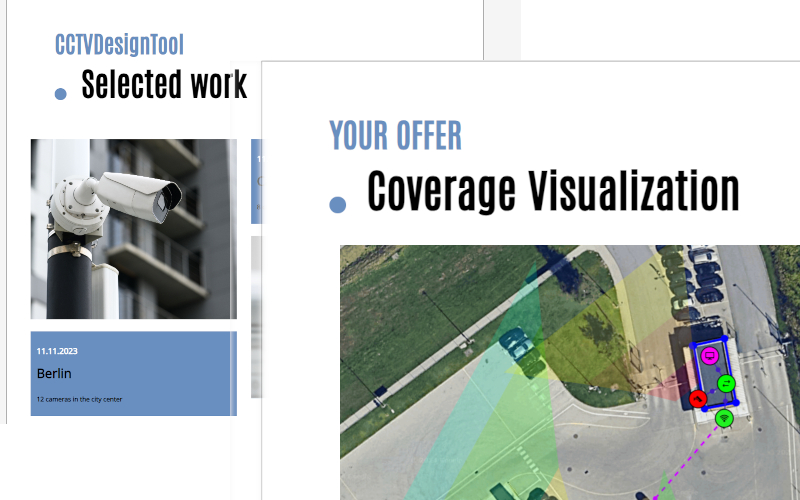
CCTV Design Tool (cctvdesigntool.com) offers two separate report generators: a Document Creator for full branded proposals (company logo, colours, multiple templates) and a Simple Report module for quick one-pagers on smaller jobs. A pricing module lets you set cost and profit margin per device with totals updating live. Proposals are watermark-free on Premium.
CCTV Design Tool can also send an interactive client share link instead of a PDF: the client opens the project in their browser, explores camera coverage, and sees your branding, with no login required. Links can be password-protected and set to expire. Projects can also be embedded on your own website as an iframe.
JVSG IP Video System Design Tool exports proposals as PDF, DOC/DOCX, ODT, XLS, DXF/DWG, and, in recent versions, PPTX and HTML. There is no cloud share link or interactive client view.
Collaboration and Team Features
CCTV Design Tool (cctvdesigntool.com) includes a full Enterprise tier with multi-user team accounts, user groups with per-group view/edit/export permissions, enforced company branding across all team exports, a shared team device library, and admin-controlled settings. Single Sign-On (SSO) is available on the Enterprise plan. Projects are stored in the cloud and can be shared between team members.
JVSG IP Video System Design Tool is a single-user desktop application. There is no real-time collaboration, no cloud project sharing between team members, and no multi-user management. The 5-user group licences and the Enterprise tier reduce the per-seat price, but each seat is still a separate installation on a separate machine, not a unified team workspace.
Security and Privacy
CCTV Design Tool (cctvdesigntool.com) is ISO 27001 certified and offers Zero-Knowledge Encryption as a platform-level security feature. Floor plans are encrypted in the browser before upload, meaning only ciphertext reaches the servers. The cctvdesigntool.com team cannot read project data. That matters for floor plans, which reveal the layout of a protected site and the locations of every camera, blind spot, access point, and alarm zone. Data is stored on EU servers and is GDPR-compliant. Two-factor authentication (2FA) is available on all plans, and SSO on Enterprise.
JVSG IP Video System Design Tool stores all data locally on the installer's machine; JVSG markets this as an offline version with zero external data transfer. There is no cloud storage and therefore no cloud-side data handling. (The JVSG Online beta is a hosted browser application; JVSG has not published how project data is stored or encrypted for it.)
Neither approach is better in the abstract. Local storage gives you full control over the files; cloud storage with Zero-Knowledge encryption gives you access from any device without the server ever holding readable plans.
Who Should Use Which Tool
Choose CCTV Design Tool (cctvdesigntool.com) if:
- You work on a Mac, Linux, or iPad, or need to access projects on multiple devices
- You want to start immediately without installation or IT involvement
- You are a solo installer or small team on a tight budget (the free plan is permanent and Premium is $6/month)
- Your projects have more than 64 cameras (JVSG Pro caps at 64, Expert at 256)
- You want to share an interactive live design with clients rather than static PDFs
- You need network topology diagrams generated automatically
- Multi-discipline design (CCTV + alarms + access control on one plan) is a workflow requirement
- Your team needs role-based access control, shared projects, and SSO
- You design security systems for sensitive sites where ISO 27001 certification and Zero-Knowledge encryption matter
Choose JVSG IP Video System Design Tool (jvsg.com) if:
- You work exclusively on Windows and do not need cross-platform access
- 3D rendering and photorealistic scene visualisation are important for your client presentations right now
- You prefer a perpetual desktop licence with no recurring subscription
- You need to work offline without an internet connection, with all project data kept on your own machine
- Your enterprise clients expect the JVSG output format specifically (JVSG is well-established in large integrator and consulting firms)
Summary Table
| Feature | JVSG | CCTV Design Tool |
|---|---|---|
| Platform | Windows desktop | Browser (any OS) |
| Installation | Required | None |
| Free plan | Trial only | Yes, permanent |
| Starting price | €30/month | $6/month |
| Camera limit | 64 / 256 / custom | Unlimited |
| Team pricing | 5-user groups | From $50/seat/year |
| 3D rendering | Yes | Coming soon |
| DORI zones | Yes | Yes |
| Night vision | Yes | Yes |
| Camera database | 23,000+ | 32,000+, daily updates |
| Network topology | No | Auto-generated |
| Multi-discipline | Partial | Full |
| Client share link | No | Yes |
| Cloud storage | No | Yes |
| Zero-knowledge encryption | No | Yes |
| ISO 27001 | Not stated | Certified |
| SSO | Not stated | Yes |
| Years on market | 15+ | — |
| Offline use | Yes | No |
Conclusion
JVSG is the established incumbent: a mature Windows desktop application with 3D visualisation on every tier, a long track record with enterprise integrators, and full offline operation. Its limits are the Windows requirement (Parallels on Mac; the JVSG Online beta is not yet a documented substitute), pricing from €30/month with hard camera caps per tier, and a single-user architecture with no team collaboration.
CCTV Design Tool (cctvdesigntool.com) is the browser-based alternative: free to start, $6/month for unlimited cameras, works natively on every operating system including Mac and iPad, auto-generates network topologies, supports interactive client share links, is ISO 27001 certified with Zero-Knowledge encryption, and supports team collaboration with SSO on Enterprise. Its limitation is that 3D rendering is not available yet; it is coming soon.
For most security installers (solo operators, small teams, and mid-size integrators who design 2D systems and need proposals fast) CCTV Design Tool is cheaper, easier to start with, and works on more devices than JVSG. For large enterprise consultancies where 3D scene renders are part of the deliverable and Windows-only operation is not a constraint, JVSG remains a strong option.
You can start using CCTV Design Tool for free at cctvdesigntool.com: no credit card, no download, no time limit.